Updated October 2026. Independent guide for US students. We are not connected to any program listed here, and we never ask for your Social Security number or payment details.
Looking for a free laptop for school? Here’s the honest answer first: there is no federal program that mails free laptops to students in 2026. The last federal help, the Affordable Connectivity Program’s one-time $100 laptop discount, closed on June 1, 2024, and Congress hasn’t replaced it.
The good news: plenty of US students still get a free or very cheap computer every year through their school, their financial aid, or a nonprofit. Below are the 5 ways that actually work, who qualifies for each, and exactly what to do next.
Key takeaways
- K-12 students: ask your school for a loaner Chromebook first.
- College students: ask financial aid to add a laptop to your cost of attendance.
- Low-income families: nonprofits sell refurbished laptops for a fraction of retail.
- Your school email unlocks free Microsoft Office, GitHub Copilot and more.
- Never pay a “shipping fee” for a “free government laptop.” It’s a scam.
Which option fits you?
| If you are… | Start here |
|---|---|
| A K-12 student | Way 1 (school loaner), plus Way 4 if you get free or reduced-price lunch |
| A college student | Way 2 (college loaner) and Way 3 (financial aid) |
| On SNAP, Medicaid, or a Pell Grant | Way 5 (refurbished laptops from nonprofits) |
| Buying a new laptop anyway | Student discounts |
Is There a Free Government Laptop for Students?
No. The only federal help with devices was the Affordable Connectivity Program’s one-time $100 discount on a laptop, desktop, or tablet. It ended on June 1, 2024, and as of 2026 no replacement has become law (BenefitsUSA).
What still exists is Lifeline, a federal discount of up to $9.25 a month on phone or internet service. Lifeline does not pay for laptops or computers. So any ad, text, or website promising a “free government laptop” is either outdated or a scam.
Here’s what works instead.
Way 1: Ask Your School for a Free Loaner Laptop
For K-12 students, this is the fastest route. Many US school districts lend every student a Chromebook or laptop for the school year at no cost (AirTalk Wireless).
- Ask your school’s front office or IT department.
- Bring your student ID or enrollment details.
- Expect to return the device at the end of the school year.
Way 2: Borrow a Laptop From Your College
Many colleges and universities lend laptops through the library or IT help desk, for a few hours, a semester, or the full year. Some give a laptop to every new student.
Search your college website for “laptop loan” or ask the student services office. Ask early in the term, because loaner laptops often run out.
Way 3: Get Your Financial Aid to Cover a Laptop
This is the option most students have never heard of. Federal rules let colleges include the cost of a computer in your cost of attendance, the budget that decides how much financial aid you can receive.
Here’s how it works at the University of Missouri–Kansas City, as an example (UMKC policy):
- Ask the financial aid office for a cost-of-attendance adjustment for a computer.
- Send a paid receipt, or a spec sheet if you need the money before you buy.
- The office adds the cost, up to $1,500 for the device, printer, and software. You can ask once per academic year.
Rules and limits differ at every college, so ask your own financial aid office. Ask whether the extra aid would come as a grant or a loan before you count on it.
Way 4: Get a Free Computer From The On It Foundation
The On It Foundation is a Miami-based nonprofit that gives free computers to US families with a K-12 student who receives free or reduced-price school lunch. Public school and home school students both qualify (Candid/GuideStar).
- What you get: a free computer, plus free STEM, coding, and job-skills courses.
- Don’t qualify? Its Jump On It program offers low-cost computers on a lay-away plan.
- How to apply: request a computer through the foundation’s Get On It campaign at getonitnow.org.
Way 5: Buy a Refurbished Laptop for a Fraction of Retail
If you don’t qualify for a free device, nonprofits sell good refurbished laptops for far less than a new one. They’re fine for writing, research, video classes, and Google Docs.
| Program | What you get | Who qualifies |
|---|---|---|
| Human-I-T | Refurbished laptops, desktops, and tablets well below retail | Household income at or below 200% of the poverty level ($31,920 for 1 person, $66,000 for a family of 4 in 2026), or on SNAP, Medicaid, SSI, WIC, Lifeline, and similar. Students qualify with a Pell Grant or school lunch approval letter. |
| PCs for People | Refurbished desktops and laptops, low-cost internet, and tech support | Low-income households. Stores in about 12 metro areas, including Atlanta, Denver, Philadelphia, and Seattle, plus online sales. |
| Comcast Internet Essentials | A new Dell laptop or Chromebook for $149.99 | Internet Essentials customers (low-income households in Comcast areas) |
Not sure what’s near you? Enter your ZIP code at EveryoneOn to see low-cost computer and internet offers in your area.
Free or Cheap Internet for Students
A laptop isn’t much use for homework without internet at home. These programs cut the monthly bill:
| Program | Price | Who qualifies |
|---|---|---|
| Lifeline (federal) | Up to $9.25/month off phone or internet ($34.25 on Tribal lands) | Income at or below 135% of the poverty level, or on SNAP, Medicaid, SSI, public housing, or Veterans Pension. One per household. |
| Comcast Internet Essentials | $14.95/month for up to 75 Mbps; $29.95/month for up to 100 Mbps | Low-income households in Comcast areas |
| Human-I-T | $14.99/month plus a one-time $80.98 hotspot, or $24.99/month with the hotspot included | Same rules as its laptops |
Most large internet providers have their own low-income plan. Check EveryoneOn for the ones in your ZIP code.
Free Software and Student Laptop Discounts
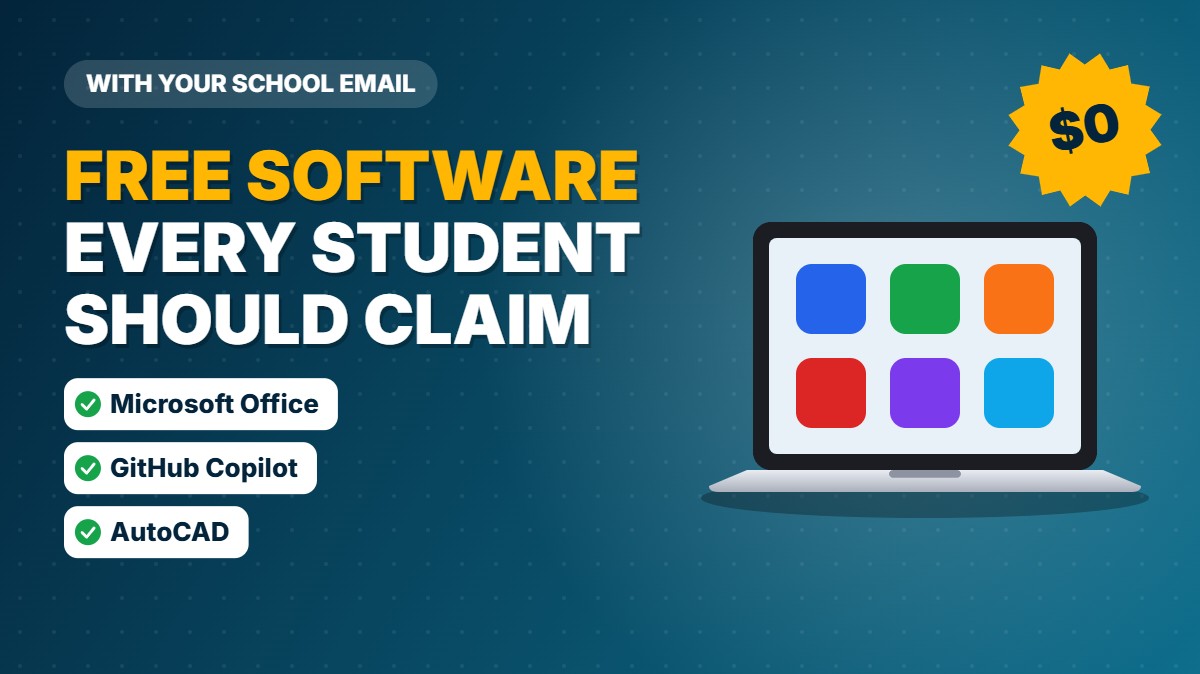
Once you have a computer, your school email unlocks hundreds of dollars of free software.
| Software | What’s free | Who qualifies |
|---|---|---|
| Office 365 Education | Word, Excel, PowerPoint, OneNote, and Teams | Students at eligible schools with a valid school email |
| GitHub Student Developer Pack | GitHub Pro, GitHub Copilot, cloud coding hours, and partner tools | Age 13+ and enrolled in a degree or diploma course; school email or dated proof of enrollment |
| Autodesk Education | AutoCAD and other design software | Students at accredited middle schools, high schools, colleges, technical schools, and recognized home school programs |
Student discounts on new laptops
Apple’s education store is open to college students, students accepted to college, and parents buying for a college student. You verify through UNiDAYS with your student email (Macworld). US education prices as of August 2026:
- MacBook Neo: $599 (normally $699)
- MacBook Air 13-inch M5: $1,199 (normally $1,299)
- iPad (A16): $429 (normally $449)
Apple also runs a summer back-to-school offer; in 2026 it added a gift card worth up to $150. Other laptop makers run their own education stores, so compare before you buy.
Documents You’ll Need to Apply
Most programs approve you with one document that proves your income or a benefit you already get. Have these ready:
- Proof of a benefit program: a SNAP/EBT, Medicaid, SSI, WIC, or housing assistance award letter.
- Proof of student aid: a financial aid letter showing a Pell Grant, or a free or reduced-price lunch approval letter.
- Proof of income: last year’s tax return, or a Social Security or VA benefit statement. Human-I-T does not accept pay stubs (Human-I-T).
- Proof you’re a student: a student ID, school email address, or enrollment letter.
- Photo ID and proof of address for internet programs like Lifeline.
Use recent documents; Human-I-T, for example, wants one dated within the last 6 months. Clear phone photos are usually fine for uploading.
How to Spot Free Laptop Scams

“Free laptop” offers are favorite bait for scammers. Walk away if you see any of these red flags (KNOE / BBB):
- A text, email, or social media ad you didn’t ask for offering a free laptop, tablet, or phone.
- A request for your Social Security number or date of birth just to “check eligibility.”
- A “shipping” or “processing” fee for a laptop that’s supposedly free.
- A promise of a “free government laptop.” No such federal program exists in 2026.
- Pressure to sign today, a verbal-only deal, or a contract you don’t get a copy of.
Frequently Asked Questions
Does the government give free laptops to students?
No. The only federal device help, the Affordable Connectivity Program’s one-time $100 discount, ended on June 1, 2024, and has not been replaced. Schools, colleges, and nonprofits are where free and cheap laptops come from now.
Can I get a free laptop with a Pell Grant?
Not directly, but a Pell Grant helps in two ways. It can prove you’re low-income for nonprofits like Human-I-T, and you can ask your college to add a computer to your cost of attendance, which can increase your financial aid.
Can I get a free laptop with EBT or SNAP?
SNAP doesn’t pay for laptops. Being on SNAP does qualify you for nonprofit discounts like Human-I-T’s and for the Lifeline internet discount.
Do Lifeline providers give free laptops?
Lifeline only discounts phone or internet service; the government doesn’t pay for devices. Some providers occasionally offer a free or cheap tablet or laptop as a promotion, depending on stock and state.
Are refurbished laptops good enough for school?
Yes, for most students. Writing, research, video classes, and Office or Google Docs run fine on a refurbished laptop. Engineering, design, or video editing students may need a more powerful machine.
Can high school students get a free laptop?
Yes. Ask your school first; many districts lend a Chromebook to every student. Families with a child on free or reduced-price lunch can also request a free computer from The On It Foundation.
The Bottom Line
A free laptop is realistic for many US students in 2026, just not from the government. Start with your school or college, ask financial aid about a computer allowance, and apply to a nonprofit like The On It Foundation or Human-I-T if you qualify.
Pair your laptop with a low-cost internet plan and free student software, and you’ll have everything you need for school for little or no money.
Programs, prices, and income limits change often. Always confirm the details on each program’s official website before you apply.